
Coin Toss Guide: Rules, Demo & Tips | boom99 app
Coin Toss is a cards-category title in the boom99 app catalog. This page helps you inspect its game screen, understand the basic round flow, and decide whether the available options suit your preferences.
Quick answer: read the round instructions and selection controls before you begin; use a Coin Toss Demo if the title offers one, and set a firm entertainment limit because each result is uncertain.
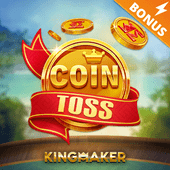
Coin Toss is categorized as cards. Confirm the current rules, choices, and any round information in the live game interface, since presentation and availability can vary by mode.
More cards games near Coin Toss
Explore these catalog alternatives by opening their tiles. Only Cards Hi Lo has its own listed game page; the other tiles use the usual game-entry action.


A quick look at what Coin Toss offers
In brief: Coin Toss is presented in the cards category, and the title's own instructions should explain the decision sequence and available outcomes. It is best approached as a short, chance-based game rather than a way to predict or control a result.
Before a round, take a moment to identify the selection area, confirm any displayed stake, and read how the game indicates that a choice has been accepted. Do not infer rules from the name alone: the current help panel is the reliable source for the version you have opened.
A Coin Toss Demo, when made available, can help you learn the controls and understand where round information appears. Practice mode is not a promise of matching real-play results, nor does it establish a profitable pattern.
On boom99 app, check the screen for any mode label and current conditions. If the rules are unclear, pause rather than relying on assumptions.
How to get started with Coin Toss
Start by reading the displayed rules. Then follow the on-screen prompts in order, checking the selected option and stake before confirming a round. The exact controls should be verified in the current Coin Toss interface.
- Open the Coin Toss tile from the games area and wait for the game to finish loading.
- Review the instructions, available choices, and any displayed round or payout information.
- If a Coin Toss Demo option appears, use it to learn the interface without assuming it predicts actual outcomes.
- Set a session budget and time cap before selecting a stake; confirm the values shown on screen.
- After each round, review the result and stop when your pre-set limit or planned time is reached.
The flow is straightforward, but each round remains uncertain. A prior result should not be treated as evidence that the next selection is more likely to succeed.
For a separate title with a distinct risk-selection flow, see Tower and read its own instructions before comparing it with Coin Toss.
Build a measured Coin Toss routine
There is no strategy that guarantees a win. For Coin Toss, a sound routine means controlling your session choices—not trying to forecast chance-based outcomes.
- Choose limits first: decide the maximum amount and time you are comfortable spending, and do not extend either to recover a loss.
- Keep decisions consistent: avoid changing a stake because of a streak, a near miss, or a previous win.
- Use practice for familiarity: a Coin Toss Demo can clarify controls if present, but demo rounds do not establish a real-money pattern.
- Take a pause: step away if you feel rushed or frustrated, and return only if play remains recreational.
- Review the rules: verify the current choices and terms in the game itself instead of copying advice for another title.
These habits apply whether you play briefly or compare Coin Toss with other cards games. Keep your account and personal details secure while using any online game.
For another risk-and-choice format, the Minesweeper page can help you compare how a different title presents its own decisions; its rules are not a substitute for Coin Toss instructions.
What the Coin Toss game tile tells you
The catalog image below is the available local artwork for Coin Toss. It identifies the title, but it is not a screenshot of a live round and should not be read as evidence of specific rules or outcomes.
Once the game loads, look for its own rules or information control to understand the actual play screen. If a demo mode is present, use it to locate buttons and menus; the artwork itself does not indicate whether a demo is available.
The pace and feel of Coin Toss
Coin Toss is listed among cards games, so visitors should use the title's live instructions to understand its presentation rather than assume detailed mechanics from its name. A simple-looking screen can still contain important stake, confirmation, or mode information.
Take time to inspect the controls before starting. If rounds are fast, decide in advance how many minutes to spend and use the game's pause or exit controls when you need a break. A Coin Toss Demo, if offered, may make the interface easier to understand, but it cannot remove uncertainty.
On a phone, make sure that text and selection controls are comfortably readable before tapping. Do not continue if the layout is confusing or you cannot clearly confirm a choice.
Other cards titles may feel different in pace and presentation. For example, Color Game is another catalog option, but its own instructions should guide any comparison.
Check these details before choosing Coin Toss
Best fit depends on your comfort with the format and controls. Before you choose Coin Toss, check the current rules, demo availability, stake display, mobile readability, and the account safeguards you can use.
- Rules are clear: you can explain the round sequence and choices from the live help panel.
- Mode is understood: the screen clearly indicates whether you are in a Coin Toss Demo or another mode.
- Limits are practical: the displayed stake fits a fixed budget you can afford to lose.
- Screen is usable: buttons, terms, and results remain readable on your device.
- Account is protected: use a unique password, trusted access route, and available security settings.
When reviewing boom99 app responsible-play options, use the platform's limit and break controls if available. For boom99 app security, protect login credentials, avoid sharing verification codes, and contact official support if an account notice seems unusual.
If any condition is uncertain, wait and get clarification before playing. No game choice can remove the inherent randomness of the outcome.
A considered next step for Coin Toss
Check the rules, make sure the interface is clear, and keep a personal time and spending limit. If you decide the game suits you, open Coin Toss from its catalog tile; take a break whenever play stops being enjoyable.